For construction businesses in Switzerland

Mobile time tracking for your construction sites in Switzerland

Connect recorded hours to the right construction site, from the first clock-in to the hours summary. Employees record work and breaks on their phones, while managers review attendance in the Presenco portal.

Two-month trial · Annual plan at 600 EUR

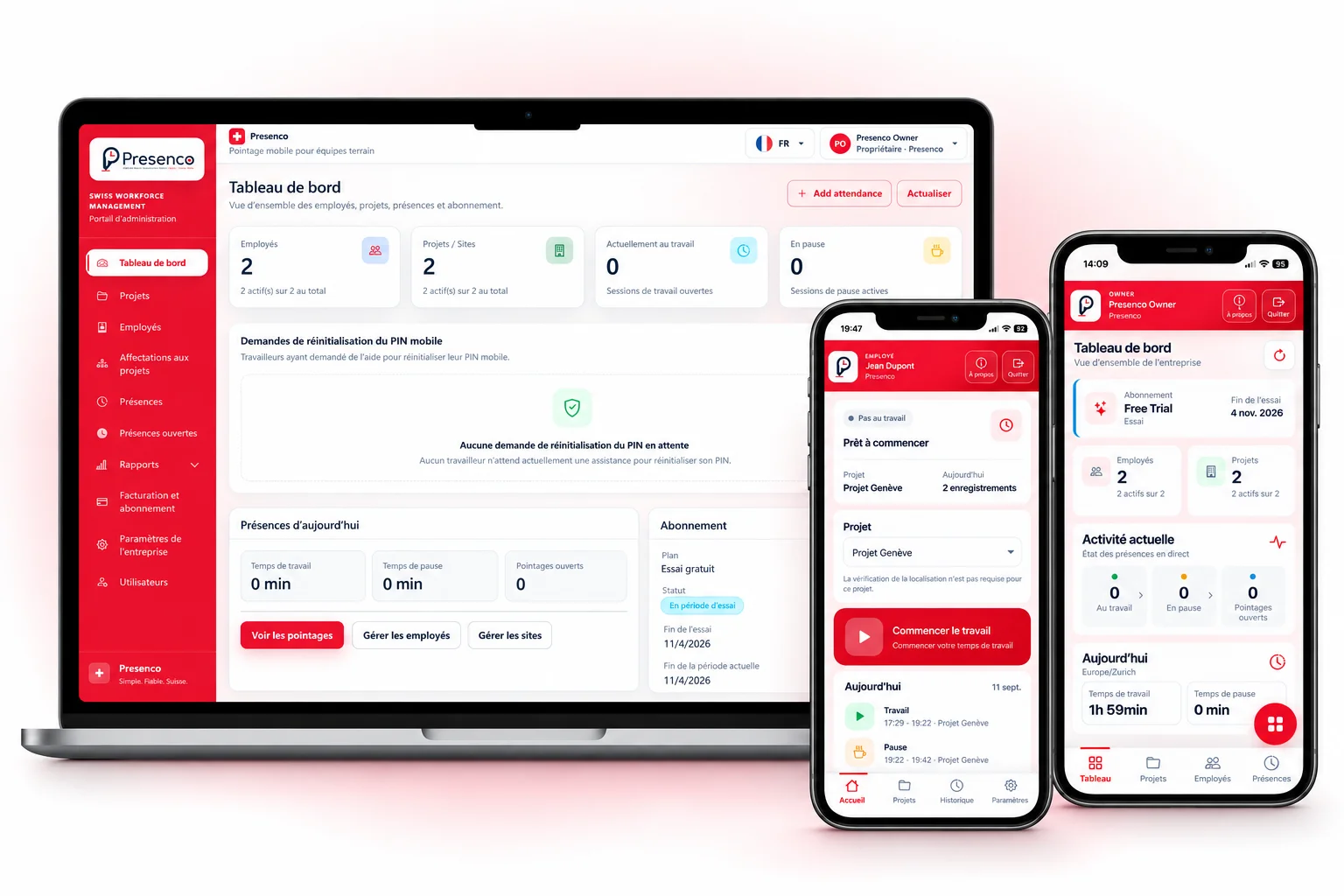
Presenco dashboard and mobile apps for employees and managers
Presenco portal and mobile app: a composed product view with a French interface and sample data.

Hours assigned to sites, with a shared recording process

When teams work across several sites, checking who worked where and when can take time. Messages about starting work, forgotten breaks and late timesheets make reconciliation harder. Presenco provides a shared process: a project for each site and identifiable work and break records.

  • Employees select the site before starting work.
  • Breaks remain linked to the current work session.
  • Managers can review recorded hours by project.

On site: start work, take a break and finish

Employees sign in with their phone number and PIN. They select an available site from the project list and check the app status after each action.

  1. Select the right project

    Choose the construction site before starting work. The start time and project are recorded in the session.

  2. Record breaks

    Start a break and resume work in the app. The session stays assigned to the same site, with work and break time recorded separately.

  3. Finish and check the day

    End work and review Today or History. If an action was forgotten, tell the manager so an administrator can check the record.

Read the work and breaks guide →

Manage several sites and team access

Create a project for each work location and check its address on the map. Make a project available to active employees or restrict clocking to selected people. This helps organise access for the teams working at each site.

The project stays attached to the current session. An employee moving to another work location ends that session before selecting the next project and starting a new one.

Set up a site and project access →
Configure location checks for each site

When location checking is enabled for a project, set the site location and permitted radius in metres. Presenco checks the position sent by the phone during clocking actions. Starting work outside the permitted area is rejected for that project.

Choose a radius that reflects the site size and available location accuracy. Employees must allow location access; a poor signal may require another check on site. This validates clocking actions and does not provide continuous movement tracking.

Prepare phone location permissions →

Review site hours in the administration portal

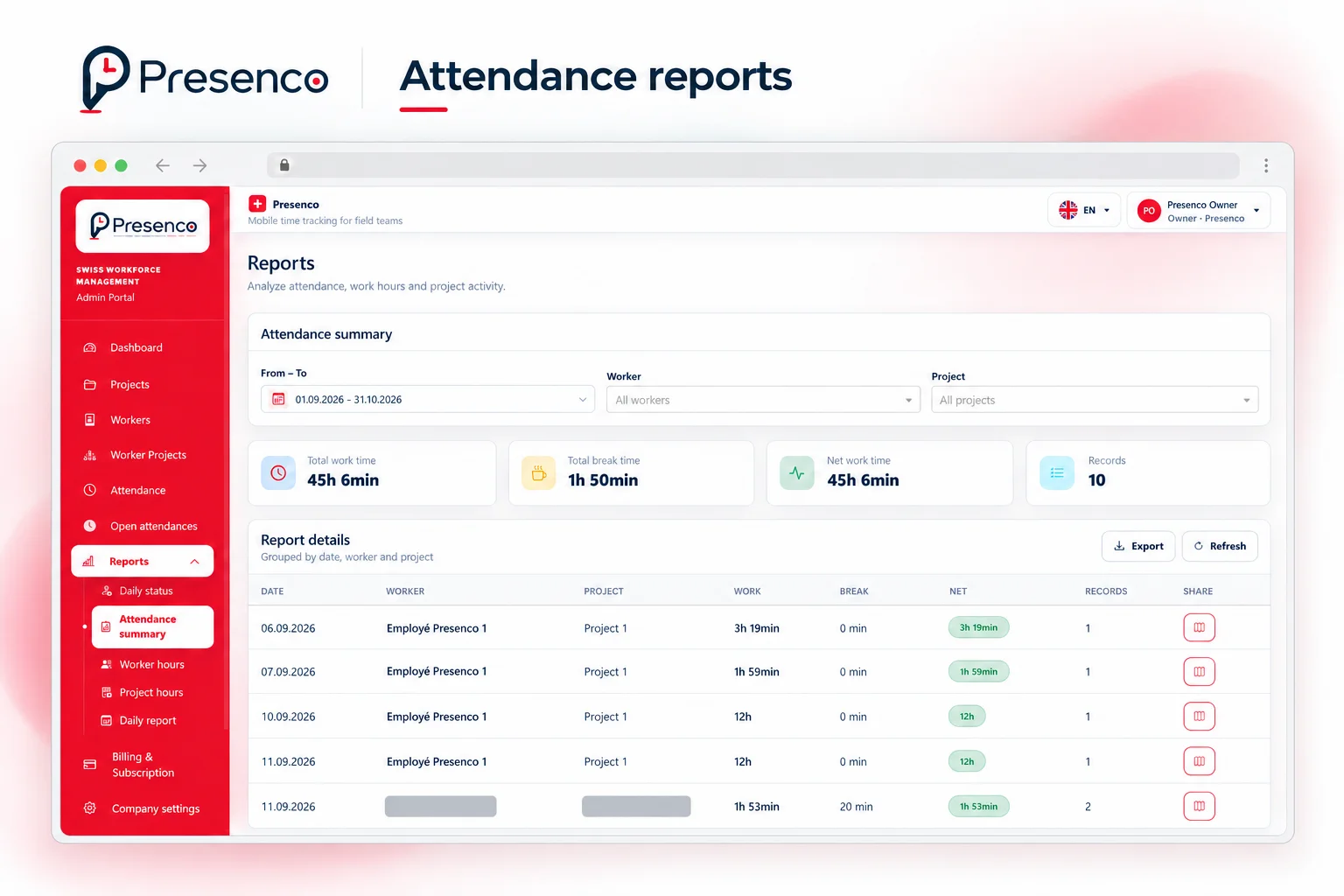
Managers review attendance in the portal. Summaries for a selected period can be filtered by employee or project. Available PDF reports let you share recorded hours for administrative review.

An administrator can check and correct an incorrect record in the portal. Employees can report a mistake rather than creating extra clocking entries to compensate.

Presenco attendance report with period, employee and project filters
Attendance report in the portal: English interface with some details masked. Figures illustrate the screen, not customer results.
Explore time tracking and reporting features →

Get started with one site and your team

  1. Create the company account

    Enter the company and account owner details, check the language and time zone, and select the trial plan.

  2. Set up projects and employees

    Add your sites, verify addresses and choose any access restrictions. Create mobile access for the employees concerned.

  3. Test a working day

    Record a work start, a break and a work end. Then review the records and hours summary in the portal.

Two months to try time tracking on your sites

Select the free two-month trial to evaluate Presenco with your projects and team. The annual plan shown on the website costs 600 EUR. Selecting a paid plan generates an invoice in the portal.

Review pricing and contact us about payment, renewal or cancellation before choosing your plan.

View the annual plan and pricing →
600 EURper year

Two-month trial · Annual plan at 600 EUR

Try two months free

Construction time tracking questions

Can one company manage several construction sites?

Yes. Each site can be created as a project. Employees choose their project before starting work, and managers can filter reports by project.

How are breaks recorded?

Employees start a break and resume work in the app. These actions belong to the same session, and history distinguishes break duration from work time.

Are location checks mandatory?

They are configured per project. When enabled, the phone must send a usable position inside the permitted area to start work. A project without this check does not require proximity to the site.

What if an employee forgets to finish work?

They should tell their manager. An administrator can review and correct the record in the portal. Check the existing session rather than creating extra entries to compensate.

Which reports are available?

The portal provides attendance summaries and PDF reports. Period, employee and project filters help you review the recorded hours for a particular site.

How can I try Presenco before choosing the annual plan?

Create the company account and select the two-month trial. Add a site and your employees, then review clocking and hours together.

Try the full workflow on your next construction site

Set up a project, give your team access and review the first attendance records in the portal.

Try two months free